
Eqfy Equalizer for Spotify
WiseSchematicsMusic & Audio
4.4172.00 Reviews
- Version
- 1.3.5
- Installs
- 10.00K
- Age Rating
- Everyone
Screenshots
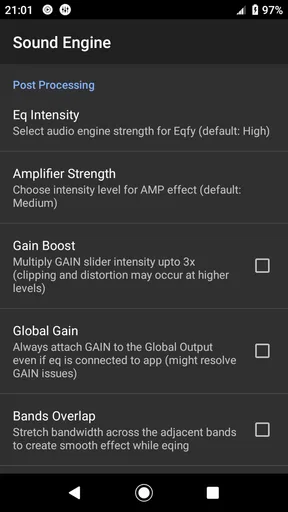
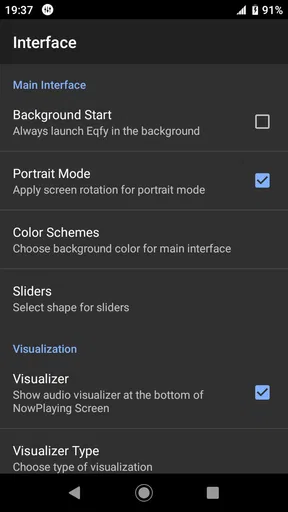
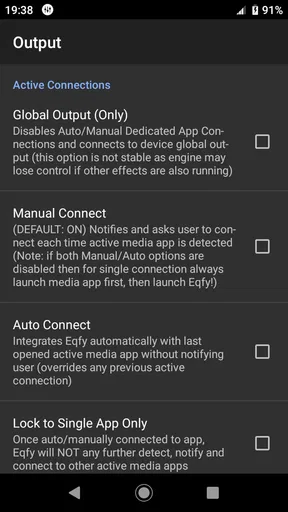
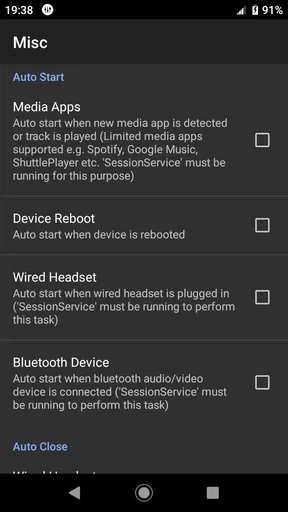
Our Review of Eqfy Equalizer for Spotify
 Analysis by Appyee
I treat any audio app that connects to a music service with a little care: useful sound controls are welcome, but I also want to know what I’m being asked to connect and what choices I can make. Eqfy Equalizer for Spotify is a paid music-and-audio app from WiseSchematics, and its appeal is straightforward: shape the sound of Spotify playback instead of relying only on the player’s usual controls. It costs $3.75, is rated for Everyone, and has a 4.4 average from around 1.9 thousand ratings. Those figures give a sense of its audience, but they don’t tell me whether it will suit every phone or listening habit.
What I would check before connecting
Connecting a music app is a more personal step than changing a setting on a standalone equalizer, because it brings an account into the process. I would take a moment to read the connection prompt and confirm that I’m linking the Spotify account I actually use. The app’s description makes Spotify listeners its intended audience, but I wouldn’t treat that as a reason to skip the choices shown during setup. If a permission or account request doesn’t make sense to me, I’d pause rather than approve it automatically.
That cautious approach is especially useful if you share a phone, switch between personal and family accounts, or use a device that other people can access. An equalizer is a sound tool, not something I’d want to connect casually under the wrong profile. I’d also keep the app’s purchase separate from assumptions about account access: paying for an audio utility doesn’t, by itself, explain what information is used or how a connection is managed.
Sound changes are personal, not universal
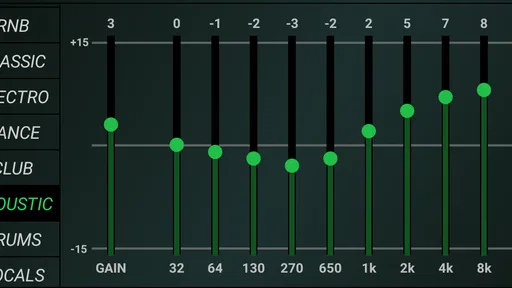
A preset is a starting point, not a promise that a genre will sound better in every situation. A bass-forward adjustment can make a thin recording feel more substantial, yet it may blur vocals or crowd a busy mix. Raising the high end can bring detail forward, but it can also make bright headphones tiring. I get the most useful result by changing one area at a time and listening to a familiar passage, rather than jumping between presets and trying to remember which one changed what.
For a practical check, I’d choose a song with a clear vocal, a bass line, and cymbals, then listen briefly with the effect adjusted and returned to the original sound. That comparison helps separate a genuinely helpful change from the simple impression that louder or heavier is automatically better. It also makes a custom setting easier to judge across more than one track.
Who will get the most from it
I see the best fit as someone who listens to Spotify regularly, uses headphones, and likes making small adjustments to suit different recordings or listening environments. It may also appeal if you already know that your preferred sound is warmer, brighter, or fuller than your current playback gives you. If you mostly listen through speakers with their own sound controls, or you’re happy with Spotify’s existing sound, this extra app may add little to your routine.
There’s also a sensible trade-off for anyone who mainly uses several music services. A Spotify-focused tool is less convenient if your listening is spread across other players, where the same adjustments may not carry over. In that case, I’d first compare it with an equalizer built into the phone or headphones, if available: a system-level control can be simpler for switching between apps, while a dedicated option can be more appealing when Spotify is the main place you listen.
Price, support and expectations
Eqfy Equalizer for Spotify has been available since January 31, 2018, and version 1.3.5 supports Android 4.4 and later. It has passed 10 thousand installs, with 172 written reviews alongside its ratings. I’d weigh that history and its modest audience as context, not as proof that it will work perfectly on every current device. Before paying, I’d check that the app is compatible with my phone and that its current setup suits the way I use Spotify.
The main question I’d keep in mind is whether I want an extra layer of sound control enough to pay for it and maintain another app. If I do, I’d start with conservative changes, keep a note of what I adjusted, and check the result at my usual listening volume. If I’m only trying to fix one pair of headphones, their own companion app or a built-in phone equalizer may be a better first stop.
Ever found yourself craving a more customizable sound experience while jamming out to your favorite tracks on Spotify? Well, you're not alone. That's where Eqfy Equalizer for Spotify comes into play. It's a nifty little app that promises to enhance your audio experience with just a few taps. Let's dive into what makes this app tick and whether it can really amp up your musical journey.
Getting Started with Eqfy
First things first, getting started with Eqfy Equalizer for Spotify is a breeze. You can find it on both Android and iOS, so no worries about compatibility issues here. Once you've got it installed, you're just a couple of clicks away from diving into a world of enhanced sound.
The app seamlessly integrates with your Spotify account. No need to create yet another login; just connect, and you're good to go. It’s as simple as pie, which I totally appreciate—no one wants to get bogged down with technicalities when all you want is to enjoy your music.
Exploring the Features
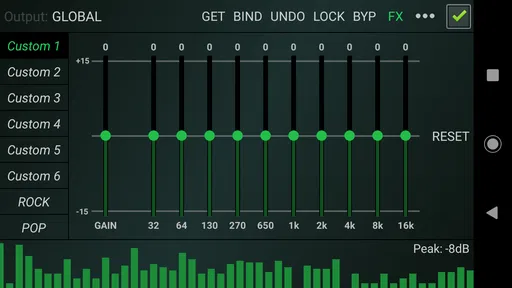
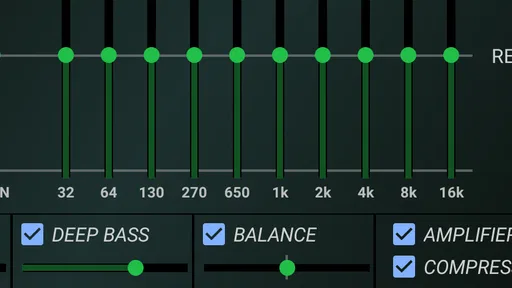
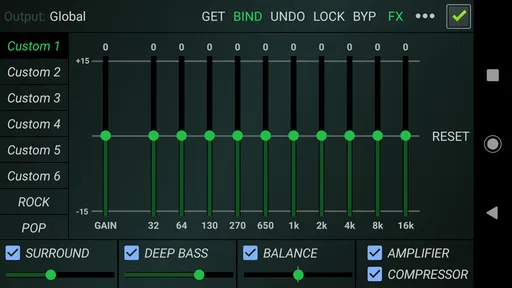
Now, let's talk about the star of the show—the equalizer itself. Eqfy offers a variety of presets that cater to different genres, so whether you're into pop, rock, jazz, or classical, there's something tailored just for you. And if you're like me and love tinkering around, you can create your own custom presets. It's like having a sound engineer in your pocket!
The app also provides a neat set of widgets that allow for quick access and adjustments. So, if you suddenly feel the urge to crank up the bass or tone down the treble, you can do that without even opening the app. That's what I call convenience!
Sound Quality and Performance
Let's get to the meat and potatoes—does it really enhance the sound quality? In my experience, absolutely. The difference is noticeable, especially when you're using a decent pair of headphones. The audio feels richer, and there's this newfound clarity that regular Spotify playback sometimes lacks.
However, I did notice that the performance might vary depending on the device. On my older phone, there were occasional hiccups, but nothing that a quick restart of the app couldn't fix. On newer devices, it runs like a dream.
User Experience and Interface
The interface is clean and intuitive, which is a big win in my book. Nothing feels cluttered or overwhelming, and the app manages to keep everything straightforward—perfect for both tech-savvy users and those who just want to enjoy some good tunes without fuss.
One thing I loved is the app's dark mode. It’s easy on the eyes, especially during those late-night listening sessions. It's like the app knows when you're in a chill mood and adapts accordingly.
Final Thoughts
All in all, Eqfy Equalizer for Spotify does a fantastic job at delivering an enhanced listening experience. It's user-friendly, packed with features, and most importantly, it makes your music sound great. Whether you're a casual listener or a hardcore audiophile, this app is definitely worth checking out.
So, if you're itching to give your Spotify playlists a bit of an upgrade, go ahead and try Eqfy. You might just find yourself rediscovering your favorite tracks in a whole new light. Happy listening!
Verdict
Strengths of Eqfy Equalizer for Spotify
- Customizable sound profiles enhance your music experience.
- User-friendly interface makes adjustments easy.
- Integrates seamlessly with Spotify playlists.
- Lightweight app that doesn't drain battery.
- Offers advanced equalizer settings for audiophiles.
Limitations of Eqfy Equalizer for Spotify
- Limited features in free version.
- Occasional lag during real-time adjustments.
- Requires Spotify Premium for full functionality.
- Ads can be intrusive in the free version.
- No offline mode for equalizer settings.
Similar Picks in This Category
View All
YouTube Music
Google LLC4.4

Samsung Music
Samsung Electronics Co., Ltd.3.8

Spotify: Music and Podcasts
Spotify AB4.3

JioSaavn - Music & Podcasts
Saavn Media Limited4.3

Lark Player:Music Player & MP3
Lark Player Studio - Music, MP3 & Video Player4.6

StarMaker: Sing Karaoke Songs
SKYWORK AI PTE. LTD.4.3
Frequently Asked Questions
What is Eqfy Equalizer for Spotify?
Eqfy Equalizer for Spotify is an app designed to enhance your Spotify music experience by providing a professional-grade equalizer. It allows you to customize audio settings to match your preferences, offering a more personalized listening experience. The app integrates seamlessly with Spotify, ensuring a smooth user interface and optimal sound quality.
Is Eqfy Equalizer for Spotify easy to use?
Yes, Eqfy Equalizer for Spotify is user-friendly and designed for all types of users, from beginners to audiophiles. The interface is intuitive, with easy-to-navigate controls and settings. Users can quickly adjust equalizer presets and fine-tune audio settings without needing extensive technical knowledge.
What features does Eqfy Equalizer for Spotify offer?
Eqfy Equalizer for Spotify offers a range of features, including customizable EQ presets, bass boost, and 3D audio effects. Users can save their custom settings for quick access. The app also supports various audio formats and offers real-time audio adjustments, enhancing the overall Spotify experience.
Does Eqfy Equalizer for Spotify affect Spotify’s audio quality?
Eqfy Equalizer for Spotify is designed to enhance, not degrade, Spotify’s audio quality. By using advanced equalization techniques, it allows for clearer, more dynamic sound. The app ensures minimal distortion and maintains Spotify’s original audio integrity while offering enhanced sound customization.
Is Eqfy Equalizer for Spotify free to use?
Eqfy Equalizer for Spotify offers a free version with basic features, but for advanced functionalities, such as additional equalizer presets and premium audio enhancements, users may need to purchase the premium version. This ensures access to complete customization and an ad-free experience.
